I’ve been appointed ‘Wikipedia Outreach Ambassador’ to ARKive

I’m pleased to announce that for ten weeks from next Monday, 11 July, I shall be working, part time, as the Wikipedia Outreach Ambassador to ARKive, supported by Wikimedia UK.

ARKive is an initiative of the charity Wildscreen, based in Bristol, which aims to promote the protection of threatened species using the emotive power of wildlife films and photographs, which it obtains from its impressive list of donors and makes available through its website. ARKive’s patron is Sir David Attenborough. Its backers include BirdLife International, Conservation International, The International Union for Conservation of Nature and Natural Resources (IUCN), The United Nations Environment Programme’s World Conservation Monitoring Centre (UNEP-WCMC) , The World Wide Fund for Nature, the Natural History Museum, Royal Botanic (Kew) Gardens, and the Smithsonian Institution. You can also view an ARKive layer in Google Earth, built in collaboration with Google.

Wikimedia UK is a not-for-profit organisation (registration as a charity pending) which exists:

…to help collect, develop and distribute freely licensed knowledge (and other educational, cultural and historic material). We do this by bringing the Wikimedia community in the UK together, and by building links with UK-based cultural institutions, universities, charities and other bodies.

In other words, to support and promote Wikipedia, Wikimedia Commons and related projects.

As Wikipedia Outreach Ambassador, it will be my role to assist ARKive in working more closely with Wikipedia editors, improve Wikipedia articles about a number of endangered species, and work with the editors of the the many non-English versions of Wikipedia to have articles translated. You can read more about the role, and follow my progress, at the Wikimedia UK project page.

Maybe I'll be writing about Temminck's Tragopan, Tragopan temminckii: the Wikipeida article on Temminck's Tragopan is currently a bit thin, and here's the Temminck's Tragopan page on ARKive. Image by Matej Batha, taken at Prague Zoo with a camera funded by a Wikimedia grant, made avaialable at Wikimedia Commons, and licensed under the Creative Commons Attribution-Share Alike 3.0 Unported license.

I’m very much looking forward to working with my new colleagues at ARKive, and honoured to be involved with such a prestigious organisation. The role nicely bridges my professional web work, my Wikipedia activities and my love for wildlife, including being a trustee of the West Midland Bird Club (a registered charity) and a voluntary warden for the RSPB.

I’ll mostly be working from home, but plan at least six visits to Bristol, some overnight, where I shall also be running a couple of outreach events. I hope to meet some of Bristol’s local Wikipedia, geek and social media community while I’m there — please ask any contacts you might have, in such groups, to get in touch.

As the role is part-time, I’m still available if anyone else needs my help with web, social media or Wikipedia-related work.
How can I automate repetitive find’n’replace operations?

I’m the webmaster (and a trustee) of the West Midland Bird Club, a registered charity.

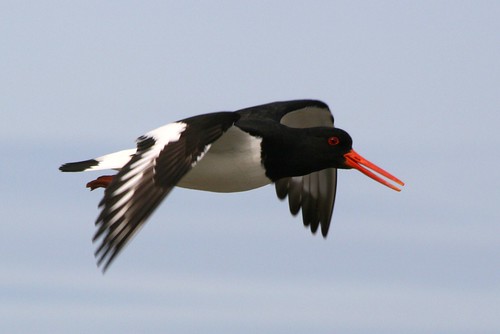
Oystercatcher

Every month, I get sent a series of text files, with lists of bird sightings at each of our reserves, and some other locations. They usually comprise around thirty entries like these:

  • 6th: 1 Dunlin, 1 Oystercatcher, 2 Little Ringed Plovers, 1 Common Sandpiper, pair Shelduck, pair Greylag Geese flew over, 1 Cuckoo, pair Kingfisher, 2 Lesser Whitethroat at north end of Reserve.
  • 5th: 3 Oystercatchers, 1 Ringed Plover.

and I need to turn them into HTML markup like this:

<li class="hentry" id="D2011-05-06"><span class="entry-content"><abbr class="updated entry-title" title="2011-05-06">6th</abbr>: 1 <span class="biota bird"><b class="vernacular">Dunlin</b></span>, 1 <span class="biota bird"><b class="vernacular">Oystercatcher</b></span>, 2 <span class="biota bird"><b class="vernacular">Little Ringed Plover</b></span>, 1 <span class="biota bird"><b class="vernacular">Common Sandpiper</b></span>, pair <span class="biota bird"><b class="vernacular">Shelduck</b></span>, pair <span class="biota bird"><b class="vernacular">Greylag Geese</b></span> flew over, 1 <span class="biota bird"><b class="vernacular">Cuckoo</b></span>, pair <span class="biota bird"><b class="vernacular">Kingfisher</b></span>, 2 <span class="biota bird"><b class="vernacular">Lesser Whitethroat</b></span> at north end of Reserve.</span></li>

<li class="hentry" id="D2011-05-05"><span class="entry-content"><abbr class="updated entry-title" title="2011-05-05">5th</abbr>: 3 <span class="biota bird"><b class="vernacular">Oystercatchers</b></span>, 1 <span class="biota bird"><b class="vernacular">Ringed Plover</b></span>.</span></li>

to make pages like this one: westmidlandbirdclub.com/belvide/latest.

That involves a series of find’n’replace operations, in sequence, like:

  • Find Oystercatcher and replace with <span class="biota bird"><b class="vernacular">Oystercatcher</b></span>
  • Find Ringed Plover and replace with <span class="biota bird"><b class="vernacular">Ringed Plover</b></span>
  • Find Little <span class="biota bird"><b class="vernacular">Ringed Plover</b></span> and replace with <span class="biota bird"><b class="vernacular">Little Ringed Plover</b></span>
  • Find </b></span>s and replace with s</b></span>

…and so on. With well over 100 species in a typical series of reports, that’s a lot of faffing about. And it has to be done every month. It’s a right pain in the Wheatear.

I need to find away to automate this (under Windows XP, preferably GUI-based), working from a saved list of find’n’replace terms, and would appreciate suggestions. Is there a text editor with a facility for sequencing such operations? I could learn to write code to do it, but that’s a heavy up-front investment. Or would someone like to volunteer to help me put the code together?

Update: I’ve found a solution in ReplaceText which, though it’s sadly no longer supported and apparently doesn’t work under Windows 7, does just what I need.

Image of Oystercatcher in flight at Els Ness, Sanday, Orkney, by lukaaash.

Talking about Pink Floyd at Thinktank Planetarium

Later this summer, I’ll be giving a series of newly-compiled talks about three Pink Floyd albums, at the Immersive Theatre in the UK’s first purpose-built digital Planetarium at Thinktank, in central Birmingham:

Each talk precedes the playing of the respective album (a 65 min edit in the case of The Wall) accompanied by Fulldome animated visuals across the full planetarium dome.

Doors open at 18:30 for a prompt start at 19:00. Tickets must be booked in advance. I hope to see you there.

More on my Pink Floyd-related work.

Update

The above talks are now sold out. I’ll be repeating them on the following dates:

Tips for Unconference newbies

This post was renamed from ‘Tips for LocalGovCamp newbies‘ in April 2012, to make it more easily findable

I’m delighted to be going to LocalGovCamp on Saturday; my second event of that title and one of many unconferences I’ve attended in recent years. I hope to see you there.

Coral Musgrove asked me, on Twitter, for advice for unconference newbies.

https://twitter.com/travellingcoral/status/81431887263965185

I’ve come up with the following, which apply equally to any unconference:

  • Don’t expect to be able to go to every session. Sessions are run in parallel, and though a few may be repeated, most aren’t. So if you want to go to two that are happening at the same time, buddy up with someone with the same desire, and agree to go to one each then share your learning. Also…
  • Follow the event’s tag/ hashtag (e.g. #LocalGovCamp) on Twitter, , on SlideShare and on Delicious [Update: Delicious became awful when it relaunched, I now use Pinboard]. (The same applies if you don’t have a ticket for the event — better luck next time!) The sessions you couldn’t attend (and those you did) will most likely be blogged about, by the presenter or attendees. Which leads to…
  • Be prepared to blog about the event yourself, in the following day or two and…
  • If you can, tweet about the event while it happens, and at the same time…
  • Ask questions. Unconference sessions are conversations, not lectures. And if you can…
  • Speak about your own experiences and knowledge, chip in, and share what you have. Unconferences (unlike most traditional conferences) are for sharing.
  • Evangelise about the event when you get back to work…
  • Get your colleagues, and bosses, to read the most relevant blog posts.
  • Find about similar events near to you. If there are none…
  • Think about running your own unconference, or a smaller event, or even a social media surgery. Others will help you!

But most of all have fun! You’re probably attending the unconference in your own time; and it’s a social event as much as it is about work.

Please add any other tips in the comments, below.

My interview about Wikipedia, with BBC WM’s Carl Chinn

I appeared on Carl Chinn‘s radio programme on BBC WM this morning, to discuss my eight years of editing Wikipedia.

Smiling man, wearing headphones, at microphone

During the interview, I took the above picture of Carl. Afterwards, I drove home, cropped the picture, uploaded it to Wikimedia Commons (the repository for open-licensed media, allied to Wikipedia) and used it to illustrate the Wikipedia article about Carl — all while he was still on air and thus able to tell his listeners about it near the end of the show.

The interview can be heard online.

I’ve done several radio interviews, about the web (including some with Carl, back in the 1990s), my books on Pink Floyd and about birdwatching and my role as a trustee of the West Midland Bird Club. I really like doing them.

Wi-Fi checklist for unconference or hack-day organisers

Do you want to see your event branded a #WiFi #FAIL on Twitter?

In the last couple of years, I’ve been to or worked at a lot of unconferences, hack-days, social media cafes, social media surgeries, “tweet-ups” and similar events. I’ve had great fun, speaking at several, organising HyperWM & BrewCamp and facilitating ShropCamp. Unfortunately, at some of the events I’ve attended, the provision of Wi-Fi has been, shall we say, problematic. By which I mean awful. That’s frustrating for attendees and a right pain in the proverbial for those seen as responsible.

Frustration (was: threesixtyfive | day 244)

For some reason, the public sector (with honourable exceptions) don’t seem as capable of providing usable Wi-Fi as the private sector. If small independent coffee shops can get this right, then councils and colleges should be able to.

So here, for people organising hack-days, unconferences, and similar happenings, is a Wi-Fi checklist, based on the problems I’ve encountered as an event organiser and as a participant:

wifi

  • Make sure the staff at the venue know in advance that you will be needing Wi-Fi, and that your event depends on it working properly. If you’re paying for the venue, make it part of the deal, and have your requirements, in writing, signed off.
  • Check that the Wi-Fi is secure. If it isn’t, will your audience be prepared to use it? Will you?
  • Make sure your contact at the venue knows how the Wi-Fi works, what passwords are required and whether guest accounts need to be set up, and what the passwords and account IDs are.
  • Explain that your audience will need access to sites the venue may have blocked, such as Twitter, You Tube, WordPress.com, Google Docs and so on. And yes, I’ve known public sector organisations where all of those were blocked.
  • Before the event, test the Wi-Fi yourself, making sure you visit such sites.
  • Test the Wi-Fi on multiple devices, including non-Windows laptops and smart phones — one venue I visited had Wi-Fi that would only work on Windows devices.
  • If you’re providing each participant with a guest account, make sure it will work on multiple devices simultaneously; or provide spare accounts. I went to one event where I needed to use two devices, but my guest account would only support a single log-in.
  • Check that the Wi-Fi works where you will be meeting, including any breakout rooms — I’ve been to one event where people wanting to use Wi-Fi had to leave the meeting room and work in a stairwell.
  • Check the bandwidth. 4Mbps download and 500 Kbps upload may be adequate at home, but with dozens of people downloading — and hopefully uploading media —  at once, it will soon start to feel like a dial-up connection.
  • Know who to contact, and where to get hold of them, if the Wi-Fi goes down during the event. Make sure they don’t plan to be away for part of the day, and get a second contact if you can.
  • Have a 3G dongle on hand, equally tested (can you get a signal in your rural basement meeting room?), for any live presentations.
  • Plan how you will run things if the Wi-Fi (or the dongle) does die. Have archived copies of any websites you want to demonstrate, or video of live interactions, on a local hard drive. Have a spare speaker in the room, or a later speaker prepared to move up the running order at short notice (or at least learn some good jokes), in case a planned video-conference speaker disappears into the ether.
  • Provide ample power sockets and extension leads. It’s no use having Wi-Fi if people’s devices are dead by mid-afternoon.
  • On the day of the event, arrive in ample time and check that the Wi-Fi is on and working properly.
  • Relax and enjoy your event!

What other Wi-Fi related tips do you suggest?

One of the things I’ll be doing as part of my new freelance career is helping organisations to plan and run events; and live-blogging them. How can I help with yours?

An open letter to Iain (M) Banks: please give Twitter a try

Dear Iain,

We met this evening at your talk to the Birmingham Science Fiction Group, part of their 40th birthday celebrations. While you were signing my copy of ‘The Spheres’, the limited edition booklet they’ve produced, of your short stories, I asked why you’re not (yet) on Twitter. You said, and I have to paraphrase, that “it’s just like work — I do text entry for a living” and that you “don’t want to be too easily contactable; to be connected all the time” as you like to go walking in the woods.

Well, with the greatest of respect, you’re wrong. Using Twitter is not writing, in the sense of your day-job. It’s more like talking, in that your comments can be instantaneous, requiring no planning or copy-editing, and there’s no plot development or characters to invent. It’s something you do on the fly, in (virtual) company, not to a deadline and locked in a garret. Think of it as being like sending an SMS text message to lots of people at once.

Twitter is all about conversations. And it will let you carry on those conversations as much or as little as you want to, and as often and whenever you want to. There will be no intrusion because you will be in complete control. You can turn off e-mail and mobile phone notifications, and block people who annoy you.

It’s quite clear that you absolutely love talking to your readers. You spent more time on the question and answer part of this evening, than you did giving your talk. You hardly stopped smiling. For each question, your answer was filled with tangential anecdotes and asides. You even ran over time. And the same thing happened on the previous occasion when I saw you speak, as your alter-ego Iain Banks.

John Jarrold‘s article about you in the Novacon 40 programme says you are “garrulous and fast of thought”, “interested in everything” and “love chatting”.

And all that means you’d really, really enjoy Twitter.

Plenty of other authors use Twitter, effectively, and seem to enjoy it. They include Neil Gaiman, Stephen Moffat, Polly Samson, Ben Goldacre, Cory Doctorow and many more. Oh, and me. None of them — apart from me — has anything to prove any more, nor needs to work hard at selling their wares, so they must find some other benefit in tweeting. They all have a mutually-beneficial relationship with their readers, but are not enslaved by them. I’m sure at least one of those is in your address book, so why not call them up, or drop them a line, and ask them what they think?

I make my living by helping people make the best use of online communications, so I’ll make you an offer: I’ll give you an hour or two of my time, on Skype or the phone (or in person the next time you’re in Birmingham), and help you get Twitter set up and running. I’ll find you some good software to use (because Twitter’s own website is pants). I’ll explain the culture (no, not that culture!) of tweeting, and I’ll suggest some accounts to follow, which I think will interest you. You needn’t pay me. If you don’t like it after, say a month or six weeks (I’ll wager that’s not going to be the case), you can say goodbye and kill the account, and tell everyone to mock me. If you do like it, you can mention me in your next book (a credit, or name a character after me). Or you can commission me to do the same job for a charity of your choice.

Why don’t you give it a go?

The 9th and 10th QR Code commandents

My friend Terence Eden has written a great blog post including The Ten Commandments of using QR Codes, and cleverly (or lazily!) supplied eight of those commandments, inviting his readers to supply the final two. Mine would be:

9. Your QR code shall be displayed in clever places

We’re becoming used to seeing QR codes in print advertising, and on posters, but there are many other places they can be used, and not only the quirky ones like my neat QR Code cufflinks by .

For example, every public building, private office or shop should have a QR Code by their entrance, so that it is prominently seen when the building is closed. It should take the customer to a page with opening times, contact details (see below), further information and perhaps an on-line store.

Bus or tram stops should have QR Codes linking to (mobile-friendly, as per Terence’s third commandment) timetable and fare information. And why not directions for people who’ve just alighted, such as directions to local tourist attractions or the nearest shops?

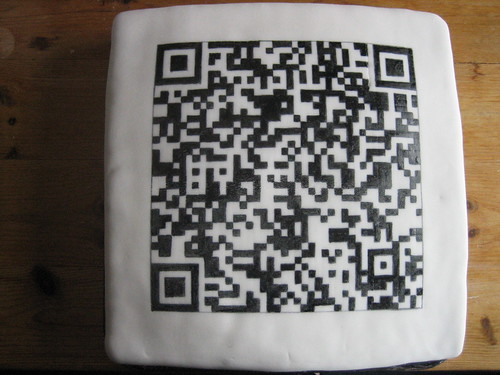
There are dozens of other paces QR codes can be displayed: on pay-to-park machines; on vehicles; on lamp-posts (but only if you’re the owning authority; no fly-posting, please!); on beer-mats; on envelopes; on bookmarks; and even on cakes. Mmmmm, cake…

QR code cake

10. Your QR code shall lead to downloadable contact details

If you’re going to put QR Codes linking to your website on business cards or brochures, make sure the page you link to either has, or links to a page which has, a downloadable file. You can do this by marking up your contact details with the , and linking to a third-party conversion site, as I do on my contact page. If your customer is using a mobile device the last thing they want to have to do is tiresomely copy’n’paste, or retype, your contact details, when that device is capable of doing the job for them.

Making best use of QR Codes and microformats are among the services in the portfolio I’m offering as part of my new freelance career. How can I help you to use them?

Poll: To at or not to at?

Today, while other people are out enjoying the warm sunshine, I’ve been sat at my computer, grappling with one of life’s big issues:

at symbol @

When we link to somone’s Twitter profile, should we include the liquorice allsort charcter, the “@” symbol, in the link, or not?

In other words, should my profile be linked to as:

@pigsonthewing

or as:

@pigsonthewing

What do you think? Have your say below (using the WP-Polls plugin for WordPress, which coincidentally I’m trialling); and please ask your friends to do so, too.

[poll=2]

Thank you.

Dan Slee, me, HyperLocal Govcamp West Midlands, BrewCamp, and cake

Dan Slee is not only as good an example you’ll find of a local government officer embracing and exploiting social media, but also a fine friend. It’s always a pleasure to work (or socialise) with him, like when we jointly led a GovCamp session on using Flickr and Wikipedia in the public sector:

(photo shows, left-to-right, Neil Franklin, Dan, Ben Proctor (standing), Ken Eastwood, me, a bit of Peter Olding)

He has just blogged about the work he and I have done together, on HyperLocal Govcamp West Midlands and BrewCamp, along with Stuart Harrison, Mike Rawlins and Simon Whitehouse.

And lots of cake.